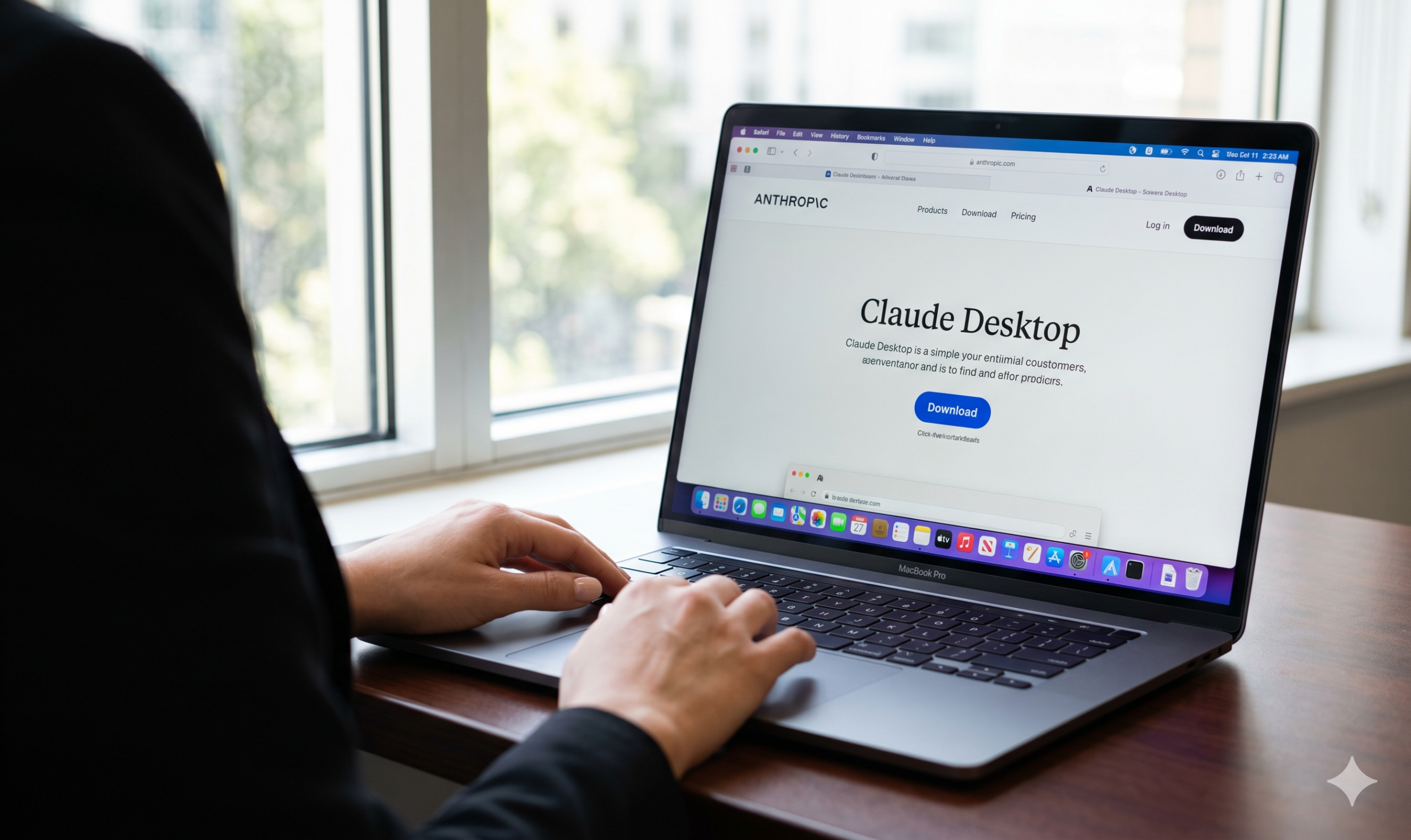
When the Cure Becomes the Problem: What Happened When I Downloaded the Claude Desktop App Using Safari
(USTimes Editorial, 2026-05-12, by Cirina Catania, Banner photo credit: Gemini) Claude desktop just wreaked havoc with my Mac computer and with my Claude.ai cloud account and I understand that for people on Mac who use Safari (like me), this is a common problem. Here are the fixes I found, ironically with the help of the Claude cloud version!
I’ve been using Claude, Anthropic’s AI assistant, for a long time. It is incredibly helpful for nonprofit work, administration, research, and proofreading, etc. I do not use it for writing scripts for TV and Film, as that is one of my personal fortes and it is easier and more satisfying to leave that task up to me. However, I thought that I’d like it to create a workflow that would marry Filemaker Pro, Air Table and my Calendar to keep me organized. Sounds great, right?
So when Claude prompted me to download the new desktop app, I thought: why not? Faster access, better integration, more power. What could go wrong? Yep…turns out…a lot!
Within minutes of installing Claude for desktop on my Mac, my entire Safari-based session was broken. I couldn’t log in, nor could I access any of the previous sessions. Yikes! I kept getting bounced to an email verification loop to my email that never completed. The app I had just installed to make things easier had made everything harder. If you are a Mac user who prefers Safari over Chrome and you’ve run into this exact wall, I want to save you the time I lost.
Here is what happened, why it happened, and exactly how I fixed it. Hope this helps you.
What the Desktop App Does Behind the Scenes
When I asked Claude directly what had happened to my session, the explanation was clear and a little unsettling:
“When you installed the Claude Desktop app, it quietly installed what’s called a Native Messaging manifest. This is a file that pre-authorizes browser extensions and establishes a communication bridge between the desktop app and your browsers. It did this even for browsers that weren’t installed on your computer, and it did it without asking for your consent or disclosing that it was happening,” Claude said.
You don’t see it happen. You’re not asked about it. It simply happens.
The purpose of this post is to solve problems and allow the desktop app and browser sessions to communicate. For Chrome users, this tends to work seamlessly. For Safari users, it creates a serious conflict. I am a Safari user for reasons I will discuss, if you are interested, on another post.
Safari is one of the strictest browsers in existence when it comes to privacy, cookie management, and cross-application session activity. Its built-in Intelligent Tracking Prevention, known as ITP, treats unexpected cross-app session interference as a potential threat and responds by blocking or invalidating your existing authentication session.
As Claude put it: “The core problem for Safari users is that this browser bridge can interfere with how Safari manages authentication sessions and cookies. Safari’s Intelligent Tracking Prevention treats unexpected cross-application session activity as a potential tracking threat and can block or invalidate it. When the desktop app installed itself into your browser environment, Safari’s defenses kicked in and essentially invalidated your existing session.”
You are now locked out! Not because your password is wrong. Not because your account is suspended. But because two pieces of software are fighting over the same authentication territory, and Safari … perhaps correctly, from its own perspective, decided to shut the conflict down.
The Login Loop That Follows
Once the session breaks, you may find yourself caught in a second problem: the really annoying, frightening, maddening, magic-link login loop.
Claude’s login system, like many modern platforms, sends a one-time verification code to your email when a persistent session cookie isn’t properly stored. The trouble is that if the session state is corrupted by the desktop app conflict, the email code arrives, you click it, and nothing happens. Or you’re asked to log in again immediately. The loop repeats, and repeats, and repeats. Groundhog Day on your Mac.
Claude explained why this happens: “Stale or corrupted session data can block fresh login attempts, and Safari’s privacy settings can prevent the session cookie from persisting properly between visits, depending on how the conflict has corrupted the underlying session data.”
This is not a password problem. It’s a session state problem, and no amount of re-entering your credentials will resolve it on its own.

The Fix: Clean Removal with AppCleaner
The solution is not to adjust Safari settings. The solution is to remove the Claude desktop app completely, and to do it the right way.
Simply dragging Claude.app to the Trash is not enough. The Native Messaging manifest and associated support files remain on your system and will continue to interfere. You need a utility that finds and removes all associated files simultaneously.
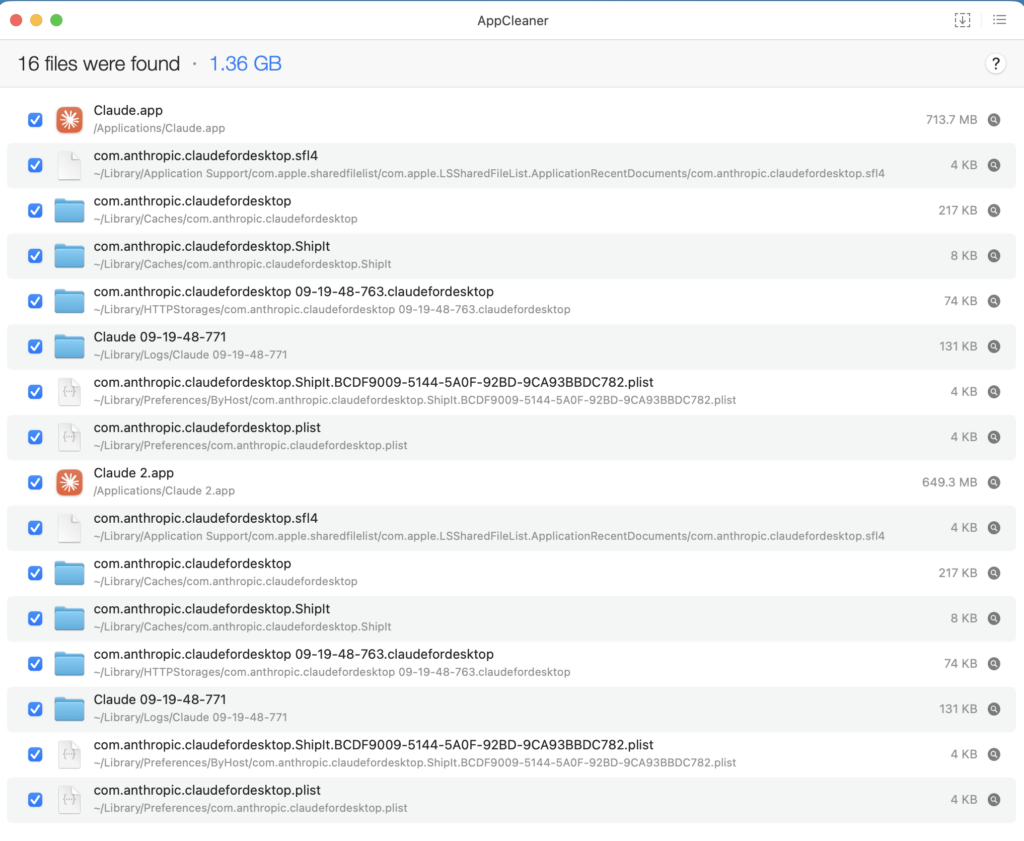
I used a free Mac utility called AppCleaner. Here is what the process looks like.AI
AppCleaner found 16 files spread across multiple Library directories, totaling 1.36 GB. That includes the app itself, cached data, log files, preferences, ShipIt updater files, and the HTTPStorages folder that contains the session and authentication data causing the conflict. Every one of those files needs to go.
The second image shows you exactly what those files look like inside the Trash Folder. Notice the httpstorages.sqlite files … those are the session storage files corrupted by the conflict. Notice also the log files from Cowork, Claude’s desktop companion product for file automation, and the ShipIt updater infrastructure. All of it has to come out cleanly.

Once AppCleaner removes everything, restart your Mac. Open a fresh Safari window, navigate to claude.ai, and log in from scratch. The session established cleanly for me and has remained stable since. Claude.ai is speaking to you again. Welcome home.
A Few Things To Know Going Forward
If you want to use Claude in Safari without the desktop app conflict, the browser-based version at claude.ai supposedly works extremely well. Frankly, I haven’t tried downloading the desktop version again. That is for another day. In the meantime, I got claude.ai back in fighting form and can get back to work using it. That is a relief.
If you do want to try the desktop app, be aware that the conflict with Safari appears to be a known issue tied to how the app establishes its browser integration. Anthropic is actively developing this product and the situation may improve. For now, the browser version on Safari is the more stable choice for Mac users who prefer to stay in Apple’s ecosystem, but I can’t personally recommend using Safari for Claude’s desktop version until I try it and report back to you.
And if you are a Chrome user reading this: you’re likely fine. The desktop app was designed with Chrome integration in mind, and most users on Chrome report no session conflicts. The issue is specific to Safari’s privacy architecture and how it responds to cross-application session activity.
The Bottom Line
Downloading a productivity tool should not break the workflow you already have. This one did, for a specific and understandable, but incredibly annoying technical reason, and it took real troubleshooting time to untangle.
I’m sharing the detail here because I suspect I am not the only person who ran into this wall, got frustrated, and couldn’t find a clear explanation of what happened or how to fix it. Now you have one.
Note: AppCleaner is free, comes with Mac, and the process to remove apps takes seconds. Your computer will thank you.
Photo Credits:
Photo credit: post banner and mind map screen shot using Gemini and NanoBanana, all other images (c) Cirina Catania all rights reserved 2026

Cirina Catania is an award-winning writer, director, producer, and photojournalist with deep roots in Hollywood and independent media. She is the founder of the Student Media Collective, a nonprofit teaching the next generation of storytellers, and a co-founder of the Sundance Film Festival. She lives in California, but works worldwide wherever the stories take her.